
Email me at serendipity.synth@gmail.com with any questions or comments, or if you are interested in obtaining a device.
|
|
The Roland JD-Xi is a 4 part multitimbral synth. Two of the parts are fully featured 3 layer 64 voice digital synth engines, another is a rhythm part based on drum samples, and the final part is a monophonic analog synthesizer. It also incorporates a 4-track pattern sequencer and vocoder. all in a compact, lightweight and portable package.
Sounds great right?
Unfortunately, despite all this functionality, the machine is severly limited by its interface.
The vast majority of parameters are only accessible through menus, and traversing the menus is by repeated clicking of buttons. The on-panel controls are minimal, for example, a single control for the amplitude ADSR envelope, and nothing at all for the filter envelope or its depth!
Additionally, the sequencer only supports measures of length 12, 16 or 32 beats, and pattern lengths of 1, 2 or 4 measures.
And despite being multitimbral, you can only play it multitimbrally using either the sequencer or an external MIDI keyboard that supports layering or splitting. The built-in keyboard only ever plays a single part.
The JD-Xtra
The JD-Xtra changes all that!

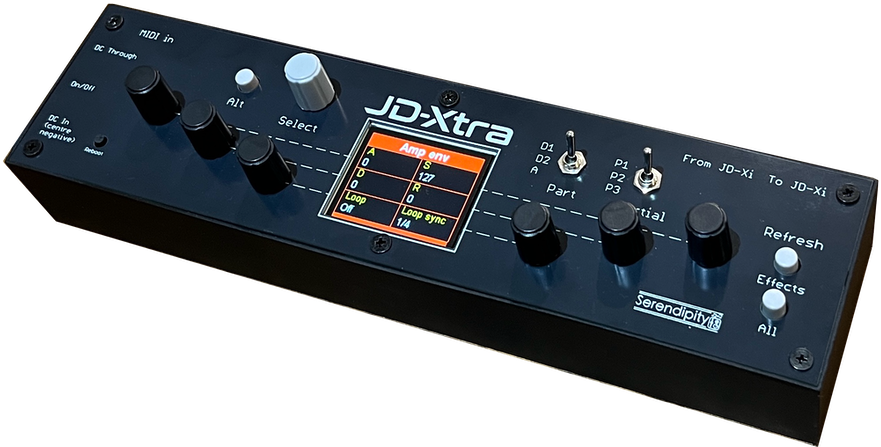
With the JD-Xtra, you can select a Part and a Partial using a pair of toggle switches, and edit parameters directly, in pages of 6, using individual encoders. The parameters are grouped in meaningful sets, and where there is a relevant variation, hitting the Alt makes it available.
Additionally, it adds layering of any 2 of the synth parts, or splitting between any parts, to the built-in keyboard.
You can also control the sequencer from the JD-Xtra:
- starting and stopping,
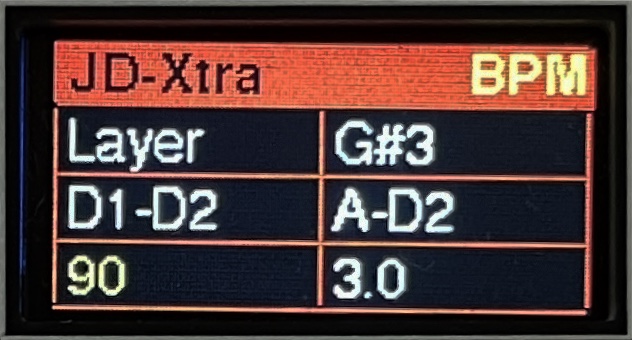
- setting the speed,
- choosing any step as the final beat in the pattern.
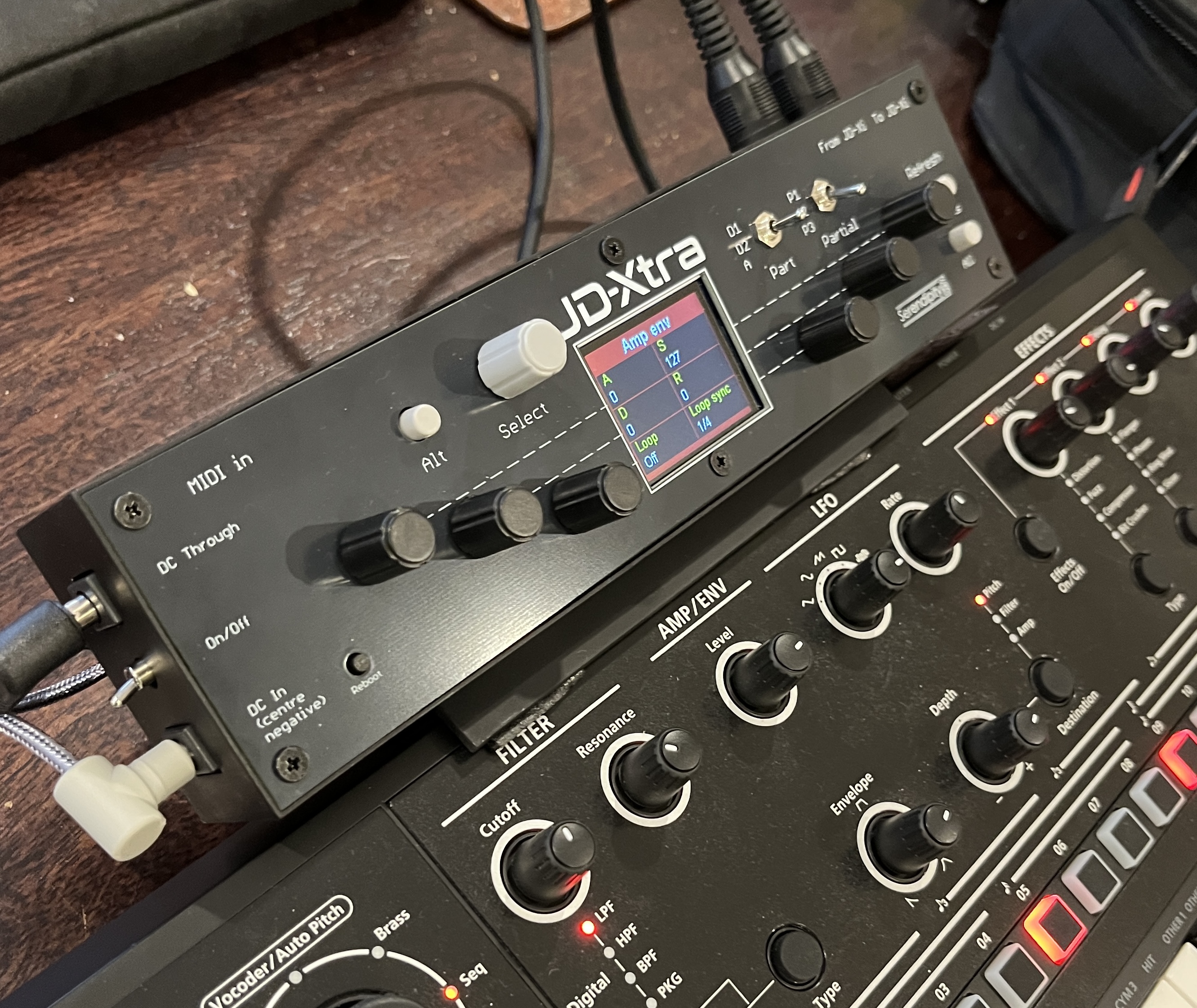
Simply connect the JD-Xi power supply to the JD-Xtra and send it through to the JD-Xi, connect up MIDI for communication, optionally mount it to the rear of the JD-Xi, and away you go!

|
|
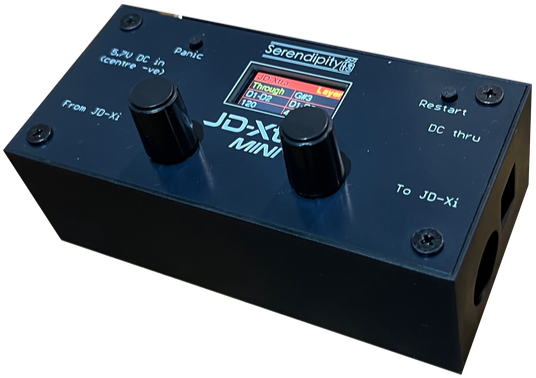
The JD-Xtra MINI
Smaller (and quite a bit cheaper!) than the full JD-Xtra is the JD-Xtra MINI.

|

|
This device lacks the parameter editing, but retains the MIDI layering and splitting, and the sequencer controls.
The Parameter Screens
Rotating the Select encoder cycles through the parameter editing screens. Values are changed using the associated encoder.

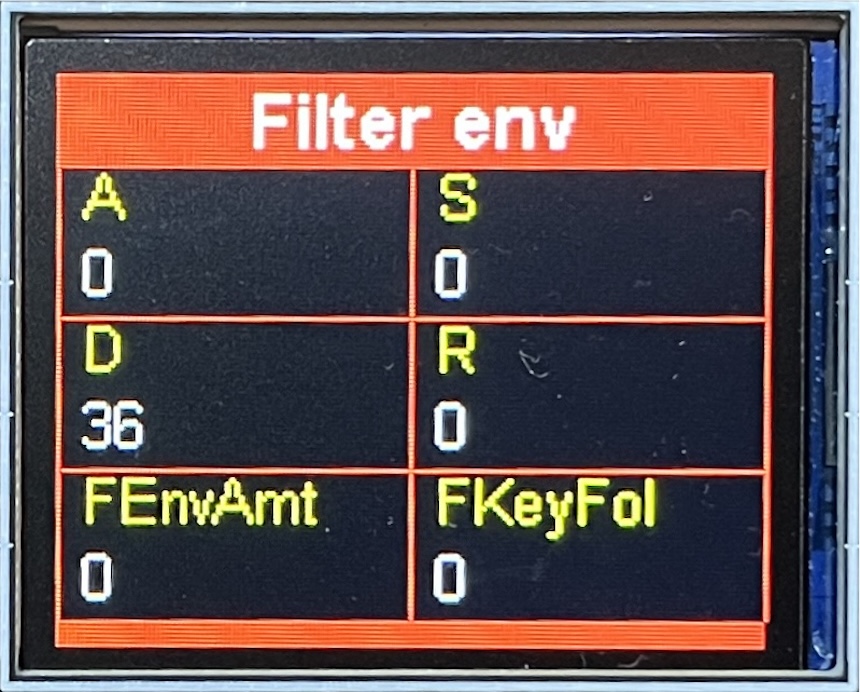
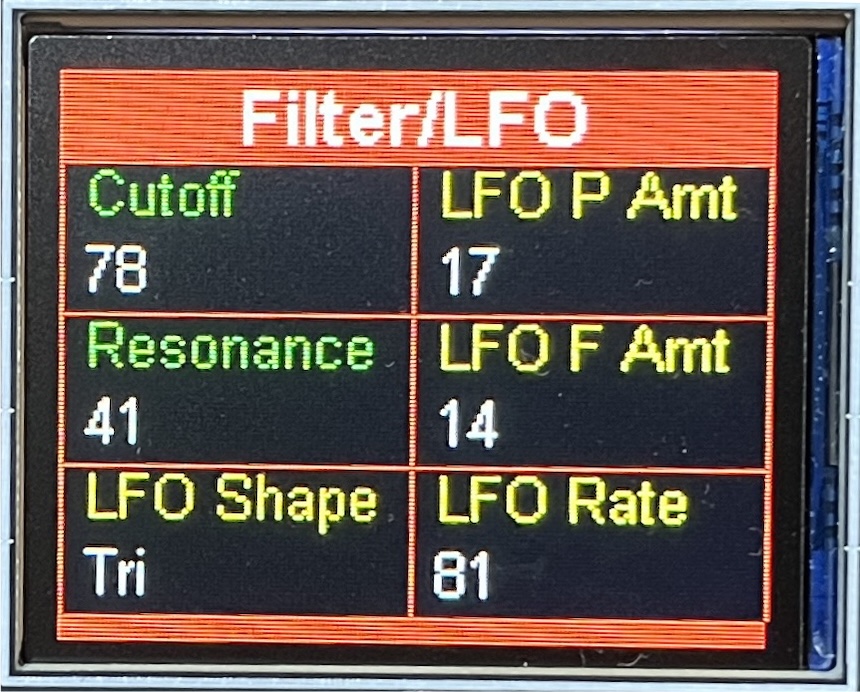
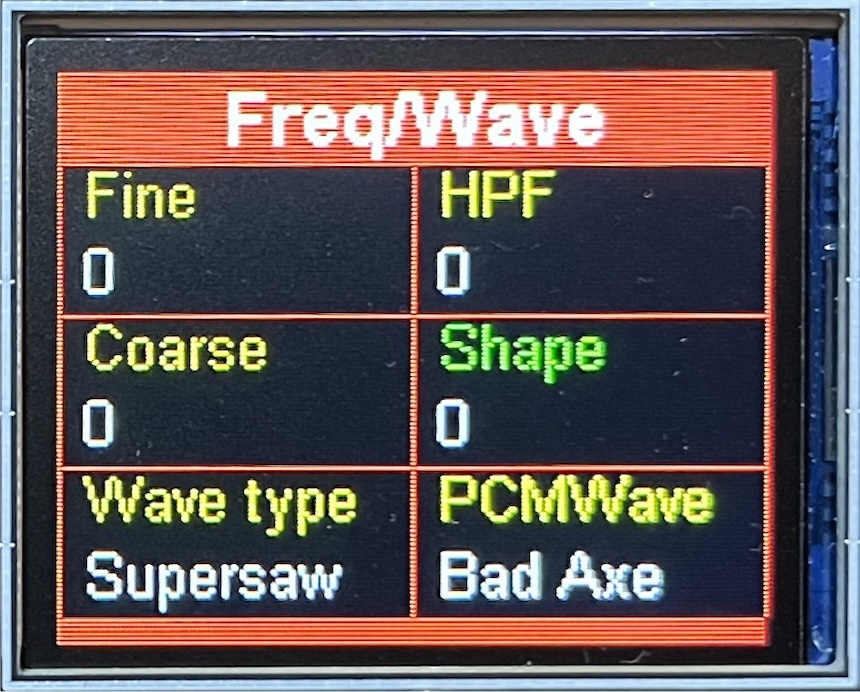
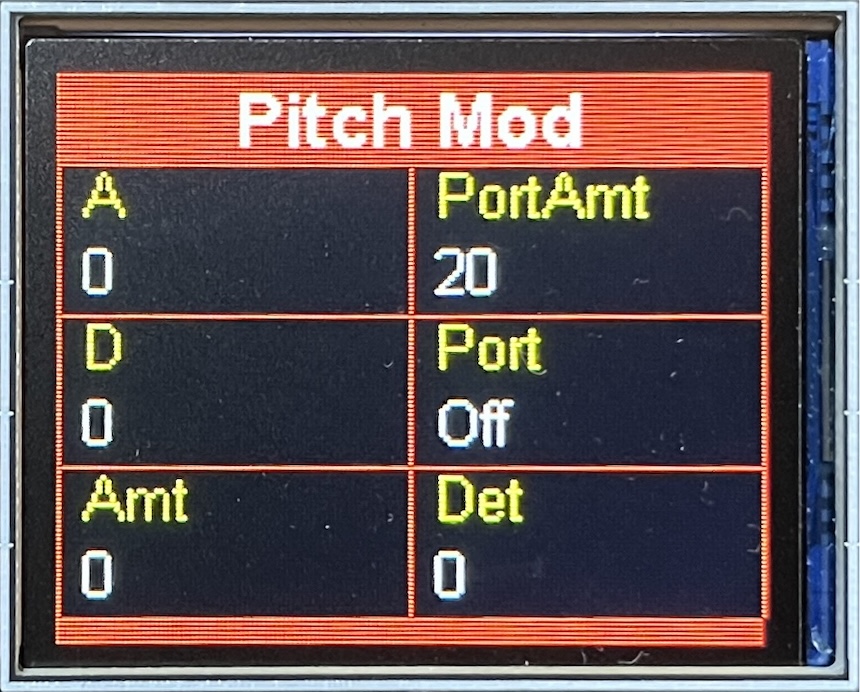
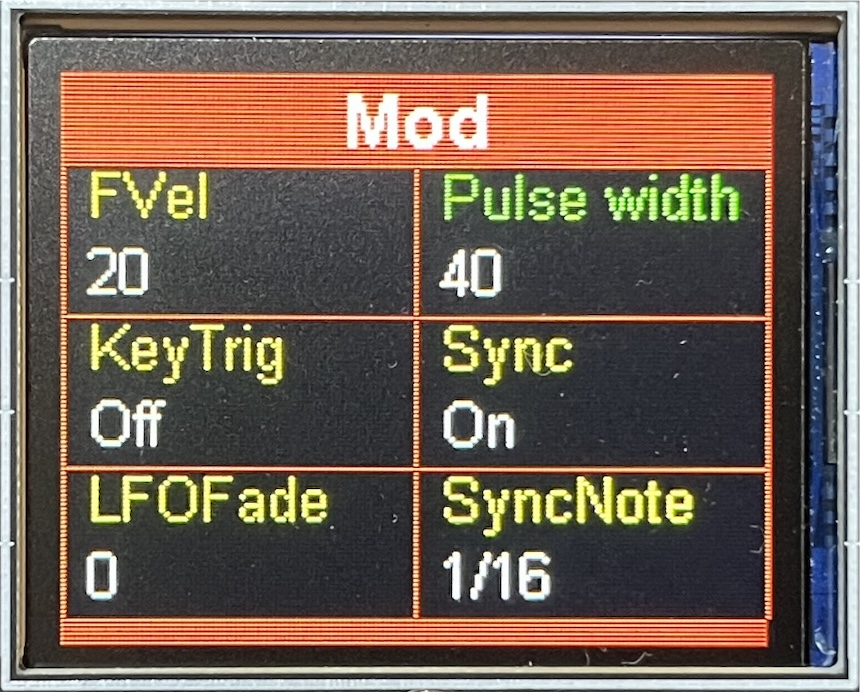
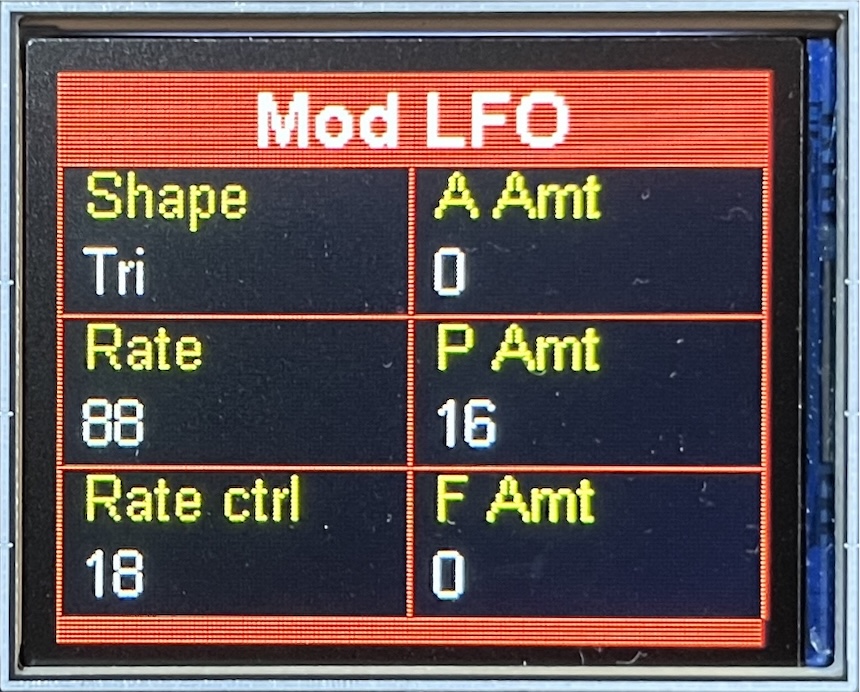
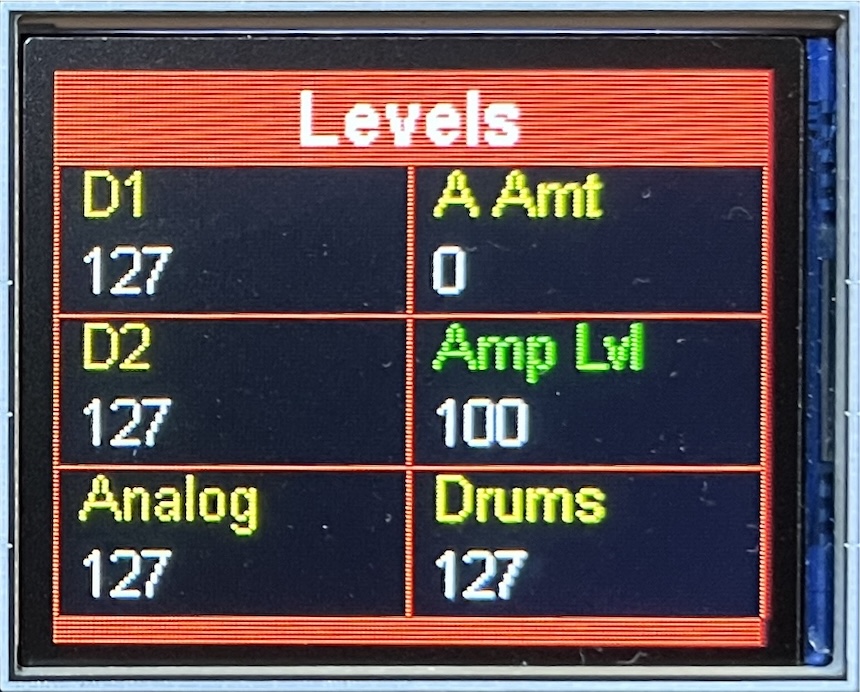
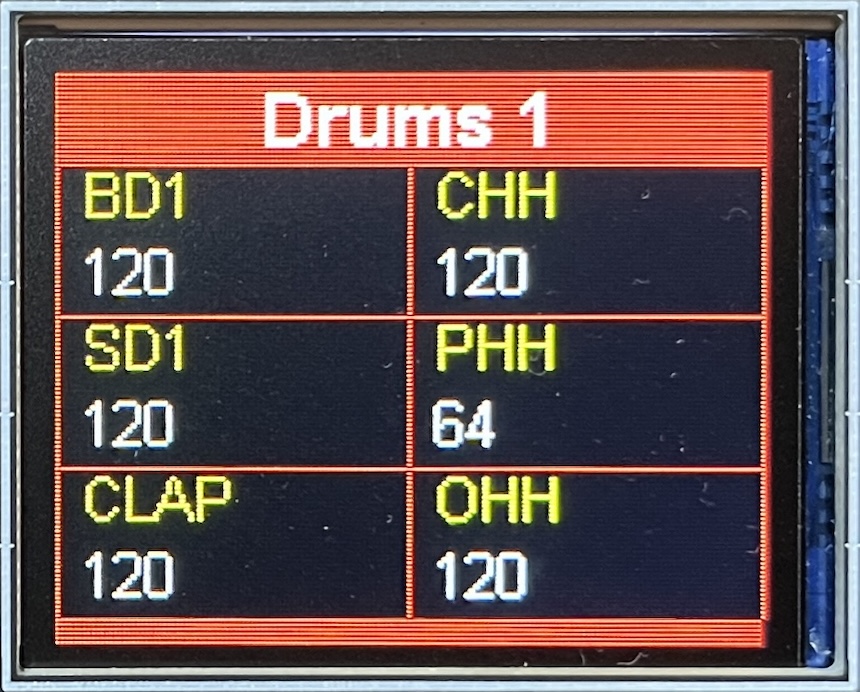


The values apply to the currently selected part and, where
relevant, the currently selected partial.
Parameters shown in green have an Alt option, and if you
hold down the All button, any parameter that changes to
cyan will be applied to all partials.
The parameter values will update on a program change, and when the actual JD-Xi panel controls are used, but not when parameters are edited in the menu.
At any time you can refresh all parameters by pressing the All button in the Refresh section.
Something to be aware of when editing the Flanger/Phaser parameters is that they share the same memory (as do the other Effect 2 effects). Having the JD-Xtra constantly poll to see what effect is active is too costly in time and can interfere with the sequencer timing accuracy. Instead, when you change the effect on the panel, just press the Effects refresh button so the JD-Xtra is notified of the change. Then, when the Flanger or Phaser is active, the appropriate parameters will be editable.
MIDI
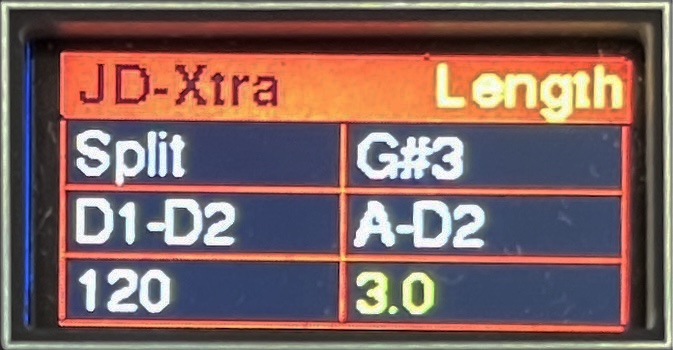
The dedicated MIDI parameter screen allows managing the layering, splitting and sequencer options.
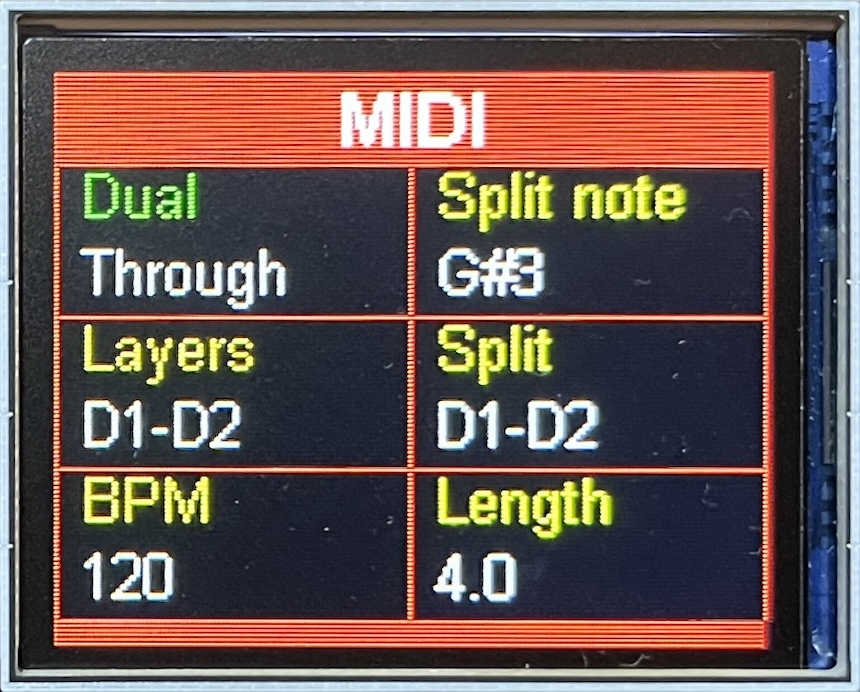
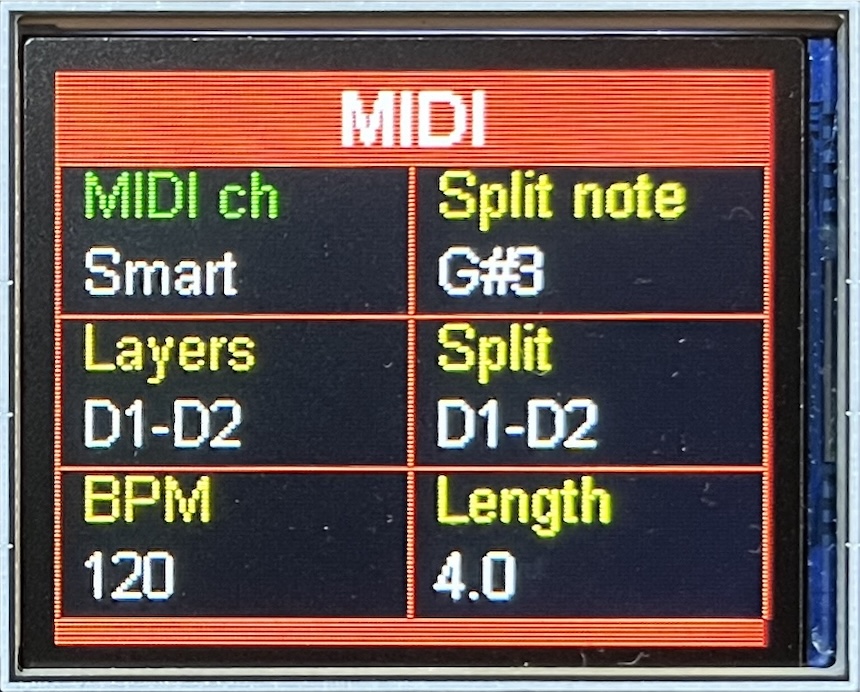
The second image shows the screen when Alt is active.
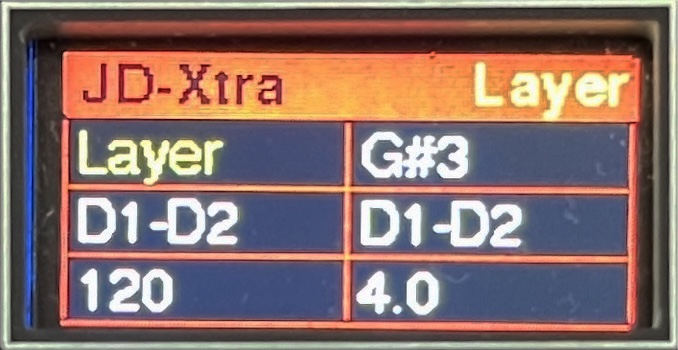
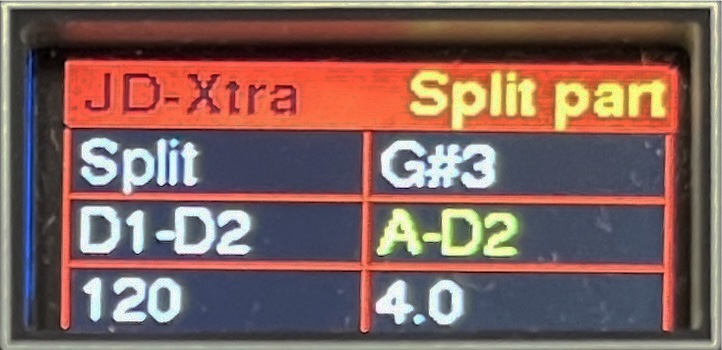
MIDI can be Ignore, Through, Layer or Split. Note that the built-in keyboard sends on fixed MIDI channels by part. You can choose a specific MIDI channel, or use Smart which will handle MIDI inputs on the channels appropriate for whatever layer or split option is active, and just send through data on other channels unchanged. This is useful as it makes it easy to play with a layer say, then quickly switch to drums to record into the sequencer without having to worry about changing any settings.
Here are the equivalent screens for the MINI version.
Demo
Here is a short video demo of the JD-Xtra in action.